Stripe Billing Migration Toolkit vs RevBridge
Compare Stripe's Billing Migration Toolkit with RevBridge for moving active subscriptions between Stripe accounts after a SaaS acquisition.
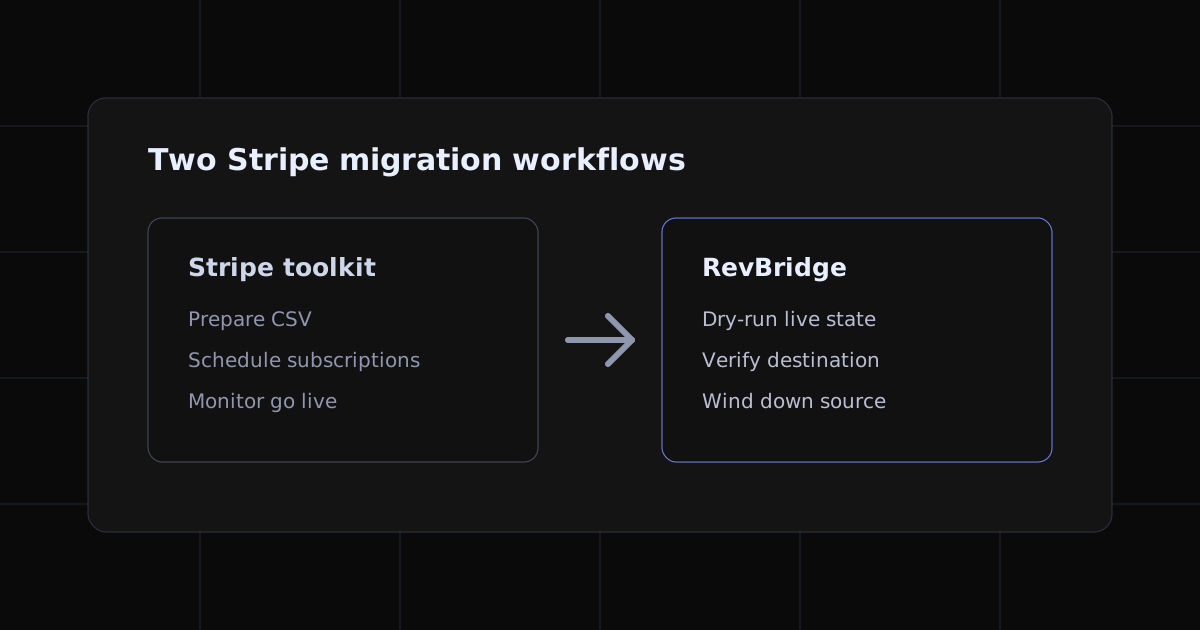
Stripe's Billing Migration Toolkit and RevBridge can both create subscriptions in a destination Stripe account. The choice is not between a working option and a missing feature. It is between two different operating models.
Stripe provides a Dashboard workflow for importing subscription data from another Stripe account, a third-party billing system, or a home-grown system. RevBridge is built for a narrower event: handing supported live subscriptions from a seller's Stripe account to a buyer's Stripe account during a SaaS acquisition.
This guide uses Stripe's current documentation and RevBridge's shipped behavior as reviewed on 30 August 2026. Check both products again before a live migration because supported fields and limits can change.
The short answer
Choose the Stripe Billing Migration Toolkit when your team can prepare the destination customer, price, tax, coupon, and timing fields in Stripe's CSV format and operate the migration through scheduled subscriptions in the Dashboard.
Choose RevBridge when the handover needs an acquisition-specific dry-run against both live accounts, explicit blocker and warning output, supported catalog cloning, payment method matching and binding, state checks immediately before writes, verified seller wind-down, recovery, and an audit trail.
Neither path removes the need to prepare the destination integration, review application and webhook behavior, or decide how to handle subscription shapes that the chosen workflow does not support.
What Stripe's Billing Migration Toolkit handles
Stripe documents the toolkit as a no-code Dashboard workflow for migrating subscriptions into Stripe Billing. It supports migrations from an existing Stripe account and provides basic, multiple-price, and ad-hoc price CSV templates.
The current workflow can:
- Validate the uploaded CSV and flag missing required data.
- Block automatically collected subscriptions that lack a default payment source unless the operator turns that check off.
- Carry fields such as quantity, billing cycle anchor, trial end, collection method, tax configuration, and one coupon per subscription.
- Create Subscription Schedules that remain scheduled for 24 hours before going live in production.
- Let the operator cancel the scheduled migration through the toolkit during the first 10 hours.
- Run several migrations at once and support a small-batch-first rollout.
For a Stripe-to-Stripe migration, the CSV must use destination account identifiers for customers, prices, coupons, and tax rates where those fields apply. Stripe also documents how to add later phases after import when a subscription needs more than the initial phase.
That is a real subscription migration path. Any comparison that says Stripe only copies customers and cannot recreate subscriptions is out of date.
What RevBridge adds to the handover
RevBridge does not start with a finished subscription import CSV. Its dry-run reads the seller's live billing state and the prepared buyer account, then produces a migration plan with supported actions, warnings, and blockers.
For supported subscriptions, RevBridge can:
- Match a seller customer to the buyer customer prepared for the handover.
- Resolve the source card used for collection and require one safe buyer-account match before binding it to the new subscription.
- Clone supported missing products, prices, and coupons with source lineage metadata.
- Preserve supported quantities, billing timing, trials, discounts, and scheduled cancellation state.
- Recheck the approved source and destination state immediately before buyer-side writes.
- Verify the destination subscription and its initial invoice state before winding down the seller subscription.
- Recover a proved partial run without treating a second destination subscription as a normal retry.
- Export CSV and PDF audit trails that connect source and destination object IDs.
This extra coordination is the product. It is not evidence that RevBridge supports more Stripe billing shapes than Stripe's own toolkit.
Where RevBridge is deliberately narrower
RevBridge blocks a whole migration when one subscription has billing state it cannot reproduce safely. The current version blocks metered billing, Subscription Schedules, tax state, unsupported payment methods, and subscription statuses such as past_due or unpaid. It also blocks several discount, receivable, invoice, and customer-balance conditions.
Stripe's toolkit supports several fields that RevBridge currently blocks, including automatic or manual tax settings and ad-hoc pricing. The toolkit also uses Subscription Schedules as its migration mechanism. Review the RevBridge compatibility matrix before choosing it for a live account.
This narrower scope is intentional. A clean dry-run means the supported set passed RevBridge's checks; it does not mean every subscription shape can migrate through RevBridge.
Where Customer Data Copy fits
Stripe Customer Data Copy is separate from both subscription workflows. It copies eligible Customer objects and supported saved payment data between Stripe accounts. It does not copy Subscriptions, Invoices, Plans, Coupons, Charges, Events, or Logs.
Customer IDs remain the same after the copy, while copied payment objects receive new destination IDs. Stripe places a mapping file in the recipient account. That mapping is part of destination preparation; it does not recreate recurring billing by itself.
RevBridge does not replace Customer Data Copy. It operates after the buyer account has the customers and cards needed for the handover.
Choose the path by responsibility
Use Stripe's toolkit when:
- Your team wants a Stripe Dashboard import based on a prepared CSV.
- Destination catalog and customer identifiers are already mapped.
- Stripe's scheduled 24-hour activation model fits the handover.
- Your team will own seller-side coordination, application updates, and reconciliation around the import.
- The required billing fields fit the toolkit's documented templates and limits.
Use RevBridge when:
- A seller and buyer need one controlled account-to-account handover.
- You want the source account scanned instead of turning its state into an import file by hand.
- Ambiguous payment method, invoice, discount, balance, or destination state should block the whole migration.
- Buyer-side writes must use the latest checked state rather than only an earlier file export.
- Seller wind-down, retry recovery, and source-to-destination audit evidence belong in the same workflow.
- The subscription set fits RevBridge's published compatibility boundaries.
Use a custom migration or specialist service when the billing model falls outside both paths, the application needs bespoke changes during the cutover, or the operator needs a person to own the migration rather than software to enforce it.
Questions to answer before choosing
Does Stripe support subscriptions moving between two Stripe accounts?
Yes. Stripe documents an account-to-account path through the Billing Migration Toolkit. The process recreates subscriptions in the destination account from a migration CSV; it does not move the original Subscription objects.
Does Customer Data Copy move active subscriptions?
No. Stripe says Customer Data Copy handles eligible customer and payment data, not subscriptions or the rest of the billing history.
Does either path guarantee no customer action?
No migration tool can guarantee that every future charge will succeed. Payment data eligibility, missing or expired cards, issuer declines, Strong Customer Authentication, and unsupported billing state can still require customer or operator action.
Does either path guarantee there will be no double billing?
No. Both workflows provide controls intended to prevent overlap, but the migration team still owns timing, source-account changes, destination configuration, and post-migration monitoring. Treat absolute guarantees as a warning sign.
Can RevBridge replace Stripe's Billing Migration Toolkit?
For supported acquisition handovers, RevBridge is an alternative workflow. It is not a superset. Stripe's toolkit supports some billing fields RevBridge blocks, while RevBridge adds live-account validation, guarded seller wind-down, recovery, and audit behavior that serve a different operating need.
Sources reviewed
- Stripe: migrate subscriptions to Stripe Billing
- Stripe: Billing Migration Toolkit
- Stripe: copy customer and payment data across accounts
- RevBridge compatibility matrix
- RevBridge technical documentation
The fastest way to learn whether RevBridge fits a handover is to run the free dry-run. It produces the supported set, warnings, and blockers before any live migration action runs.